
Your customers are asking AI about you. Is it getting the answer right?
Update: the server now comes with free FME agent skills, a documentation search and set-up guides for each AI client. Read the follow-up: From answers to know-how: FME agent skills for our public MCP server.
More and more of us aren't starting with a search engine but instead asking Claude, ChatGPT, Copilot or Gemini: which FME transformers do I need for this?, what would FME Flow Hosted cost us?, who runs FME training in the UK and when is the next course? If that assistant can't reach accurate information about us, it either leaves us out or worse - makes up a plausible-sounding answer.
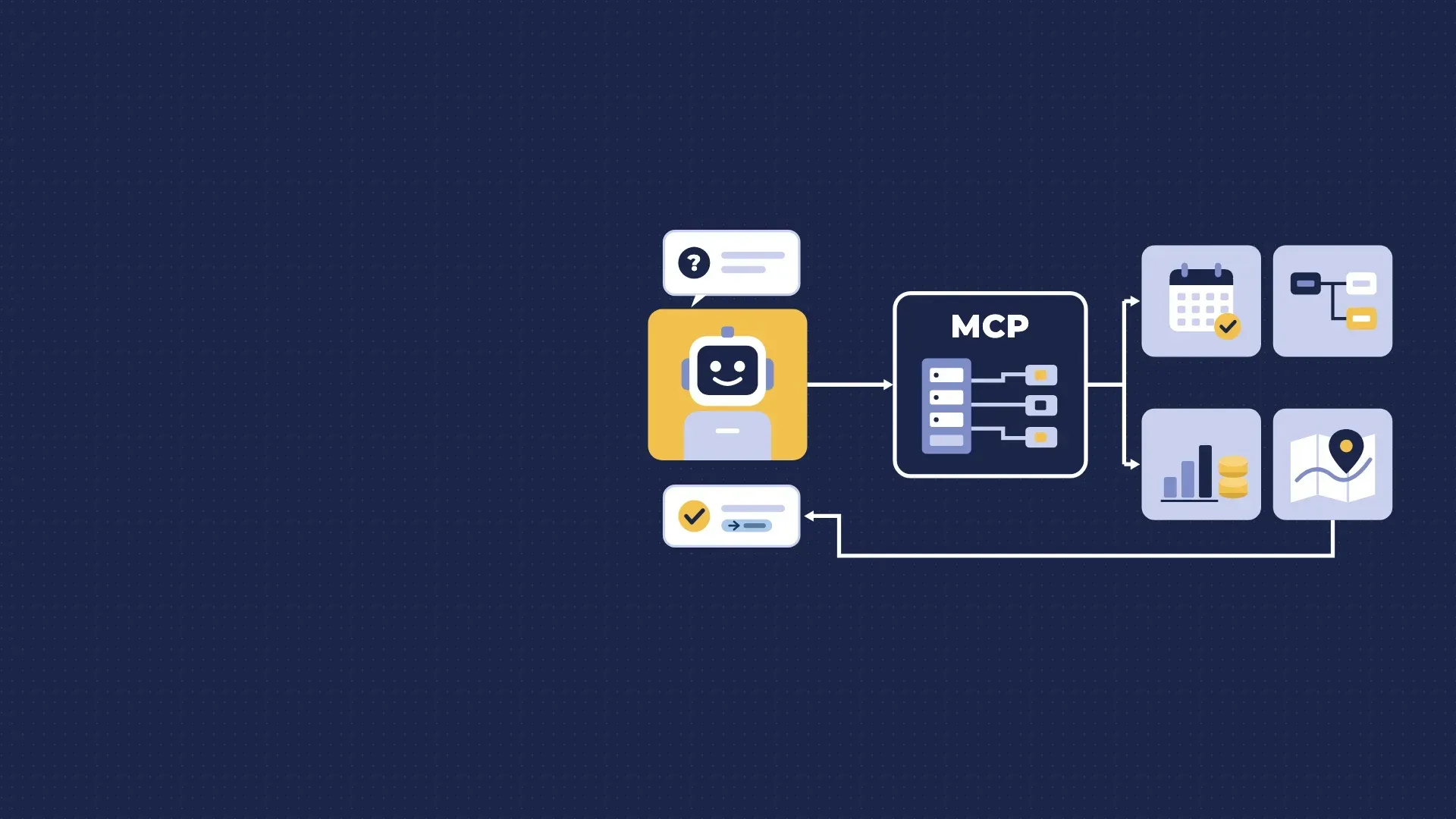
So we have given the agents something reliable to talk to. Our website now has its own public Model Context Protocol (MCP) server.
TL;DR: add https://agents.avineon.solutions/mcp to your AI assistant as a connector (no sign-in, read-only), and it can answer questions about FME, our training, licensing, FME Flow Hosted costs, Esri services and more, citing the page each answer comes from.
Why show the agents what we do?
Our website statistics tell a clear story: AI crawlers read our pages every day and assistants such as Claude and ChatGPT now fetch them live while answering someone's question. A crawler gets a snapshot. It might have last read a course page months ago, it can't do the sums behind a pricing question and it has no idea which of our pages answers its needs.
MCP fixes that, instead of hoping a model remembers us correctly, the assistant calls a tool and gets a structured, current answer with a source link. In the Copilot post we described MCP as a keycard rather than the keys to the building; this is the same idea pointed outwards. We decide what an agent can ask, what comes back and where it links to.
It is also us practising what we preach. We help organisations make their data AI-ready and expose their FME workflows to agents as governed tools. Doing it for our own content was the obvious first project, and it taught us a lot about what makes a good tool.
What it can answer
- FME transformers: search the transformer library by name or capability, see how widely each transformer is used in real workspaces, which transformers usually come before and after it, and example workspaces. Describe a task in plain language, such as 'read a CSV, geocode the addresses and load them into PostGIS' and get suggested transformers and typical chains.
- FME training: every course with its level, price, duration and upcoming dates, taken from the booking forms including FME + AI and the ArcGIS Data Interoperability courses, plus the free FME Skill Booster workshops.
- FME licensing: which products fit a described use (FME Form, FME Flow or FME Flow Hosted, fixed or floating), with the reasoning and the right contact for a quote or trial.
- FME Flow Hosted costs: a calculator comparing the annual plan with pay-as-you-go from Safe Software's published prices, with the break-even point.
- Backup Manager for ArcGIS Online: what it covers and what it would cost for your organisation.
- Everything else on the website: our services, case studies, events and contacts, in English, Dutch, Flemish and French.
Try asking: "Two analysts convert CAD to GIS every week and want it automated overnight, but we have no servers. Which FME licences do we need?" or "When is the next FME Form Advanced course, and what does it cost?"
How to connect
The server address is https://agents.avineon.solutions/mcp there is no account and no sign-in.
- Claude: Settings → Connectors → Add custom connector, and paste the address.
- ChatGPT: add it as a connector in developer mode.
- VS Code, Cursor and other MCP clients: add it as a remote (Streamable HTTP) server.
More detail is on agents.avineon.solutions.
A note of realism
This is not a chatbot and it does not replace talking to us. Every tool is read-only: it can't book a course, issue a quote or see anything private. What it does do is make sure that when an agent talks about Avineon Tensing, it is working from our own, current information and points people to the right page or person.
Building it was a useful reminder that the tool descriptions matter as much as the data behind them. An agent only calls the right tool, with the right parameters, if the description tells it clearly when to. The same holds for the FME Flow MCP servers we are building with clients.
If you are wondering what an MCP server could do for your own data, connect ours, ask it a few questions and then get in touch. The best conversations start with: what would we want an agent to be able to ask our systems?
If you would like to learn more about MCP and providing context for agents to make your site agent ready, get in touch.


