
Key takeaways
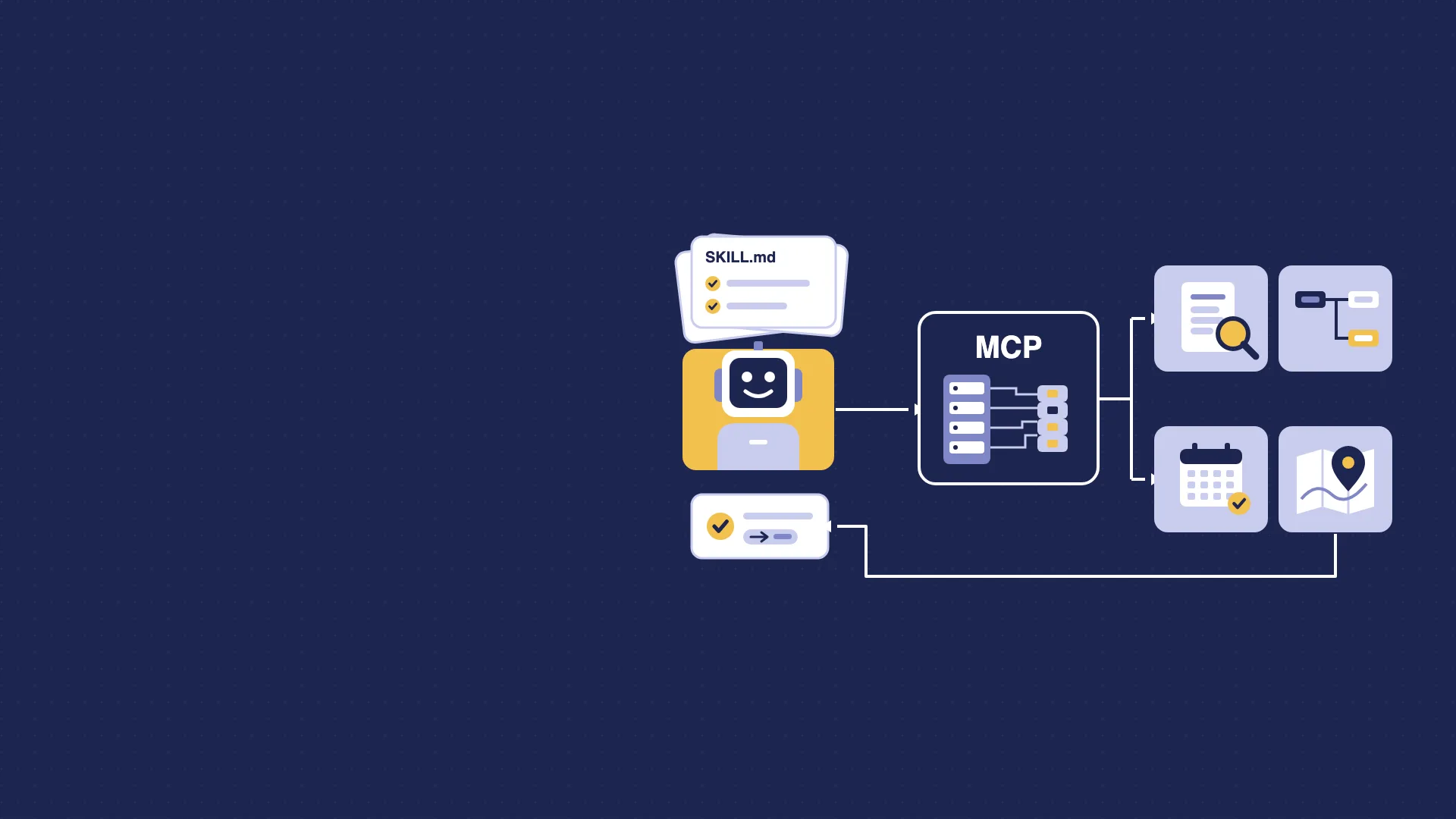
- Our public MCP server now has a companion: five free, open-source agent skills that teach an AI assistant how to approach common FME tasks.
- A new tool finds Safe Software's FME documentation, support articles and community posts, and returns the link with a short excerpt.
- New set-up pages cover Claude, ChatGPT, VS Code, Cursor and Gemini CLI, with a prompt to check the connection.
- Every page on agents.avineon.solutions is also published as Markdown, so agents can read it directly.
- It is still free, read-only and needs no sign-in.
Giving an agent the facts is only half the job
Last time, we introduced our public MCP server: one address that lets Claude, ChatGPT, Copilot and other AI assistants get current answers about FME transformers, training, licensing and costs, with a link to the source.
Since then we have watched how agents actually use it, and one thing stood out. Giving an agent the right facts is only half the job. It also needs to know how to go about the task: what to ask you first, which tool to call when, and what it must never make up.
So this follow-up is about know-how. We have added agent skills, a documentation search and proper set-up guides.
TL;DR: the server at https://agents.avineon.solutions/mcp now has 18 tools, including FME documentation search. Five open-source FME agent skills go with it. Set-up guides for each AI client are at agents.avineon.solutions/install. Still free, still read-only, still no sign-in.
Why facts alone were not enough
Ask an assistant "which FME licence do I need?" and a good consultant's first move is to ask something back. Who builds the workspaces? Does anything need to run overnight? Can you run your own servers? An assistant with a licensing tool but no method tends to skip those questions, guess, and answer anyway.
The same goes for planning a workspace. The tools can suggest transformers, but someone has to check that each one is current, put them in a sensible order, and say plainly that this is a plan to build, not a tested workspace.
That method is what an agent skill carries.
What is an agent skill?
A skill is a short set of instructions, in an open format called Agent Skills, that an assistant loads when a task matches. The MCP server supplies the facts. The skill supplies the way of working.
We have published five:
- Plan an FME workspace: clarify the source, target and transformation, check each transformer, flag deprecated ones and name the replacement, then set out readers, writers and the chain with documentation links.
- Choose an FME licence: ask who authors, what runs unattended and where, then recommend, state the assumptions and give the quote or trial route for your country.
- Plan FME training: establish your level and goal, then propose a course path with the dates and prices as published.
- Estimate FME Flow Hosted costs: gather the workload, compare the annual plan with pay-as-you-go and explain the break-even point.
- FME and MCP: explain how FME Flow publishes a workspace as an MCP tool, and how the MCPCaller transformer calls MCP servers from a workspace, from Safe Software's own documentation.
Each skill has rules as well as steps. The licensing skill never states a price that a tool did not return. The workspace skill only names transformers the server has confirmed. And every skill tells the assistant to stop and say so if the server is not connected, rather than fall back on memory.
They are open source under the Apache 2.0 licence, so you can read them, use them and adapt them: github.com/AvineonTensingUK/avineon-fme-skills.
New: FME documentation search
The first version knew FME transformers well, but not the rest of Safe Software's documentation. A new tool fills that gap. Ask about a PostGIS writer setting, an FME Flow automation or a REST API call, and the assistant gets back the relevant pages: documentation, support articles, FME Community posts, webinars and FME Hub items.
It returns a title, a link and a short excerpt, never the full page. Safe Software's documentation is theirs and stays the authority; our job is to help the assistant find the right page and cite it.
Easier to connect
In the first post, the set-up instructions were three sentences. Menus have moved since, and they will move again. There is now an install page with steps for Claude, ChatGPT, VS Code with GitHub Copilot, Cursor and Gemini CLI, each checked against the vendor's own documentation, plus troubleshooting.
Two commands cover most developers:
- The server, in Claude Code: claude mcp add --transport http avineon https://agents.avineon.solutions/mcp
- The skills, in any client that supports Agent Skills: npx skills add AvineonTensingUK/avineon-fme-skills
Then open a new chat and ask: "Is the Avineon MCP server connected, and which of its tools can you use?"
There is also a page of example prompts grouped by task, and an FAQ covering cost, limits and what we log.
Pages that agents can read
One small change we would recommend to anyone: every page on agents.avineon.solutions is also published as Markdown. Add .md to the address, or have the client ask for Markdown, and you get clean text with no navigation, styling or scripts to wade through. An agent reading the install page gets the instructions, and nothing else.
It costs almost nothing to do, and it is the kind of detail that decides whether an assistant quotes you correctly.
Things to try
- "Plan an FME workspace to read a CSV of addresses, geocode them and load the points into PostGIS."
- "Two analysts convert CAD drawings to GIS every week and want it to run overnight, but we have no servers. Which FME licences do we need?"
- "I'm new to FME and want to automate jobs on FME Flow. Which courses should I take, and when do they run?"
- "Find Safe Software's documentation on scheduling a workspace in FME Flow."
- "How do I make one of my FME workspaces available to Claude as an MCP tool?"
A note of realism, again
The limits from the first post still apply. The server is read-only: it cannot book a course, issue a quote or see your data. It does not run FME, and the workspace skill produces a plan for you to build, not a finished workspace.
Skills are guidance, not guarantees. A good assistant follows them closely; a weaker one may still cut corners. That is why every answer carries its source links, so you can check.
And the documentation search is new. We are measuring it against a set of real questions and tuning the ranking, so expect it to improve over the coming weeks. If it sends you to the wrong page, we would like to hear about it.
Frequently asked questions
Does the Avineon MCP server cost anything?
No. The server and the agent skills are free. Your AI assistant's own subscription or usage charges are separate.
Do I need an account or an API key?
No. You connect with the address https://agents.avineon.solutions/mcp alone. There is no sign-in.
What is an agent skill?
A short set of instructions, in the open Agent Skills format, that an AI assistant loads when a task matches. Avineon's five FME skills tell the assistant what to ask, which tools to call and what not to claim. The MCP server supplies the facts.
Which AI assistants can use it?
Any client that supports remote MCP servers over Streamable HTTP, including Claude, ChatGPT, VS Code with GitHub Copilot, Cursor and Gemini CLI. The skills work in any client that supports Agent Skills.
Does the documentation search return Safe Software's full pages?
No. It returns a title, a link and a short excerpt. Safe Software's documentation stays the authority: open the link for the full page.
Can it run FME or see my data?
No. The server is read-only. It does not run FME, cannot see your files or workspaces, and cannot book courses or issue quotes. It points you to the right page or contact instead.
Where this is going
We closed the last post with a question: what would we want an agent to be able to ask our systems? Skills turn that around. The question now is what we would want an agent to know before it starts.
That matters well beyond our website. FME now speaks MCP in both directions: FME Flow can publish a workspace as a tool for AI agents, and the MCPCaller lets a workspace call other MCP servers. When we build these with clients, the tools are only part of the work. The descriptions, the guardrails and the instructions that tell an agent how to use them properly are the rest, and they are what makes the result safe to rely on.
If you are thinking about putting your own data or FME workflows in front of AI agents, get in touch, or start with our FME and AI training.
If you would like to put your own data or FME workflows in front of AI agents, or make your site agent-ready, get in touch.


